
Internal Transfer (App)
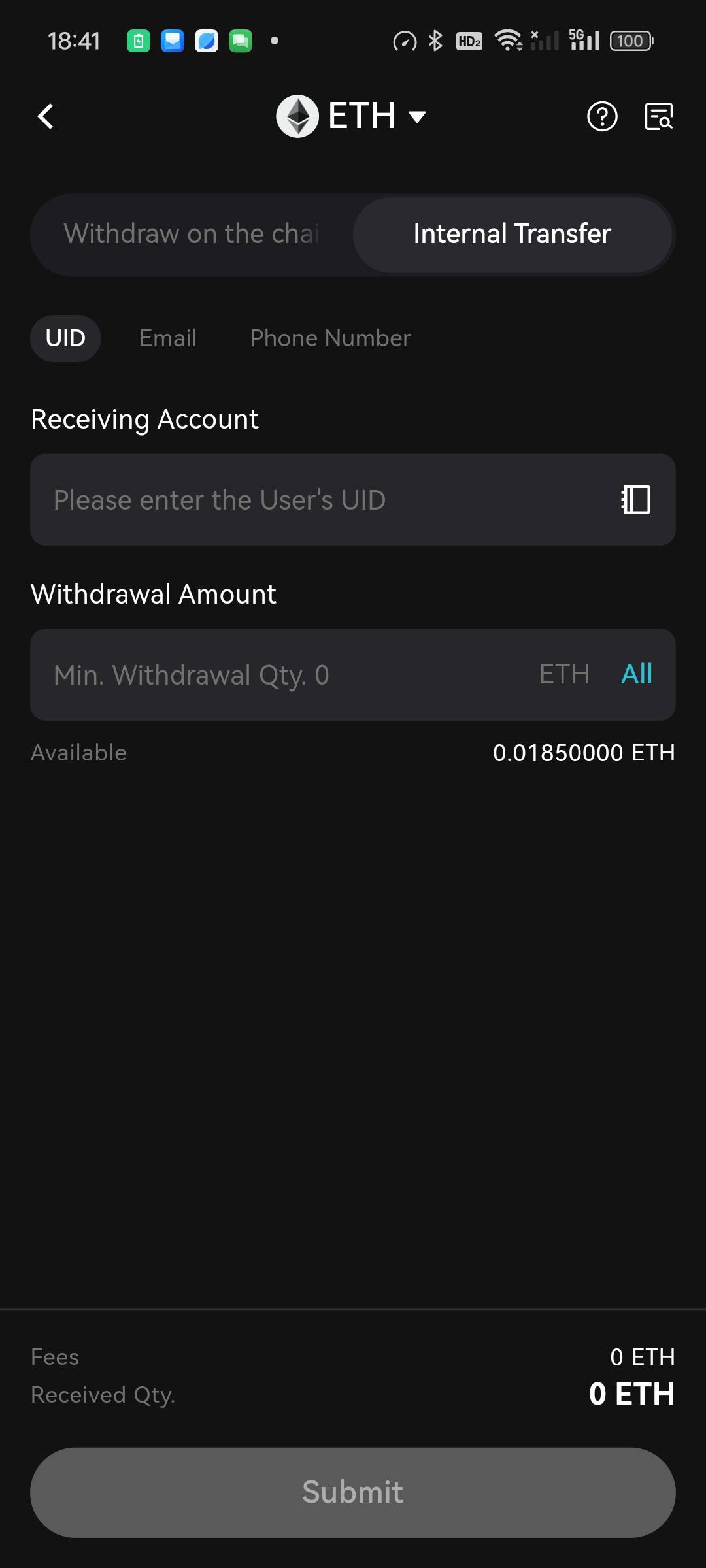
- Open the App homepage, click on Assets → Withdraw → Withdraw Digital Assets → Search for the cryptocurrency ETH.
- Choose the destination BitradeX Receiving Account → Select via Phone number/Email/Sub-account/UID → Enter/ Paste the recipient's Phone number/Email/Sub-account/UID → Enter the Amount, then click Submit.
Internal Transfer (Web)
- Open the BitradeX official website homepage, click on Assets → Withdraw → Withdraw Digital Assets → Search for the cryptocurrency ETH.
- Choose the destination BitradeX Receiving Account → Select via Phone number/Email/Sub-account/UID → Enter/Paste the recipient's Phone number/Email/Sub-account/UID → Enter the Amount, then click Submit.

- Enter the required password and verification code as instructed to complete the operation.
Note:
- The withdrawal page displays the Minimum Amount, 24-hour Withdrawal Limit, and Fee. Please check if it meets the relevant parameters.
- It is recommended to enable the address whitelist mode to ensure the safety of your funds. In whitelist mode, users cannot withdraw to manually entered new addresses; withdrawals can only be made to addresses in the address book.
- Reminder: For certain cryptocurrencies, you may need to fill in a tag during withdrawal. Tags are usually a string of numbers. For example, for XRP, after filling in the withdrawal address, the tag must also be filled in, otherwise, the funds may be lost.