
Deposit Coins
How to View Address and Tag:
If you have digital assets on other platforms or wallets and wish to deposit them into BitradeX for trading, you can choose to deposit coins. During the deposit process, all digital assets require a deposit address. Some digital assets not only have a deposit address but also require filling in a tag (Tag / Memo).
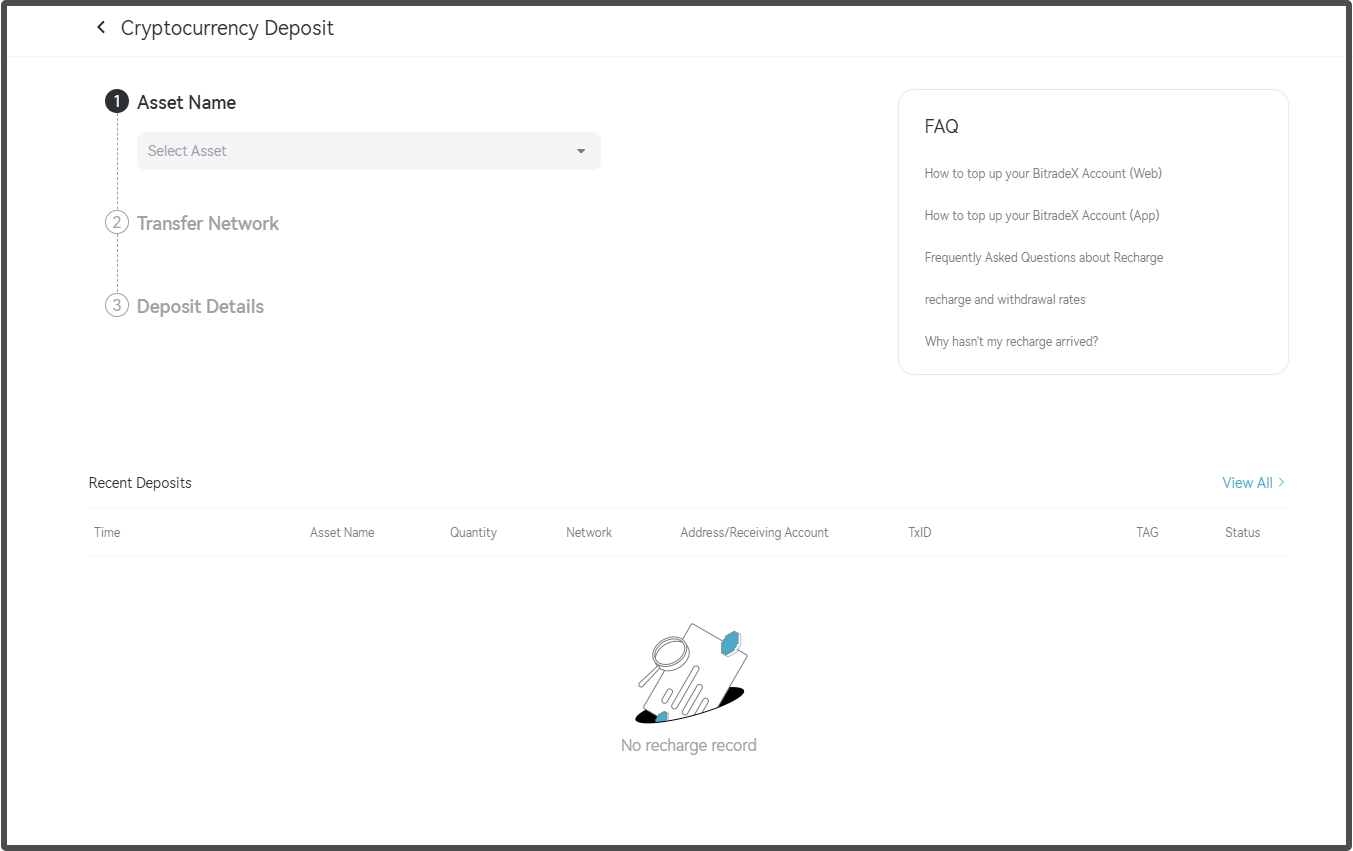
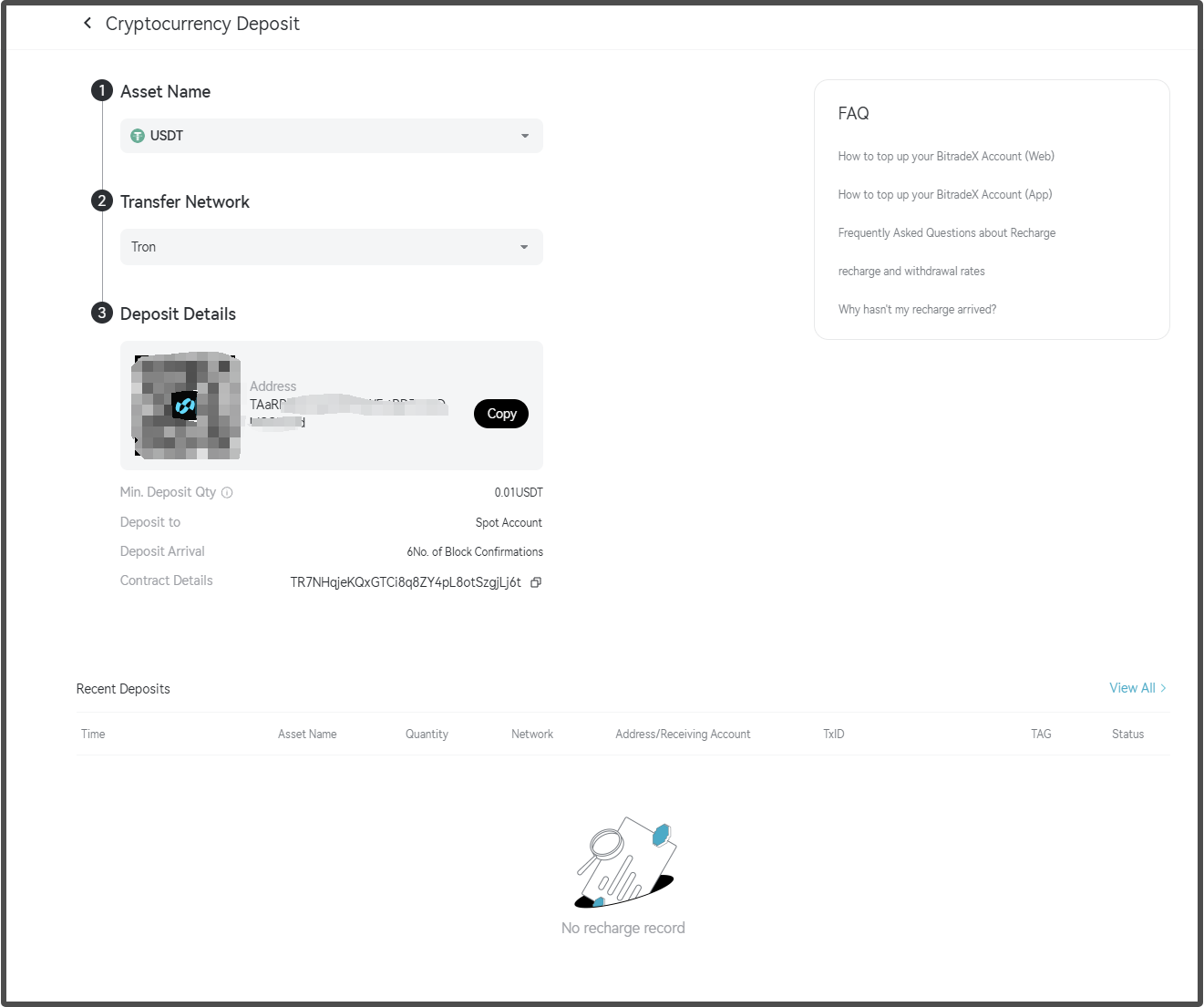
To do this, open the BitradeX website, click on Assets → Deposit → Deposit Digital Currency. Then, search for or directly click the digital asset you wish to deposit (taking USDT as an example) and select the deposit network. If the network of the selected asset requires a tag (often a string of numbers), the system will notify you. After confirming, you can view and copy the asset's deposit address and tag.
Important Notes:
- The deposit address page will show the minimum deposit amount required. If the amount is below the minimum deposit limit, the deposit will not be successful.
- The deposit confirmation time depends on the confirmation speed of the network miners and the number of confirmations required by the receiving platform.
- If some cryptocurrencies require you to fill in a Memo or Tag during the deposit process, please make sure to fill it in, or the deposit will not be successful.
- After the deposit is successful, you can check the corresponding digital assets on the asset overview page or the deposit history page on BitradeX.